
Conflict, testing, and scoring disclosure: SkuWatch publishes this article and makes SkuWatch AI Visibility Agent, the first product listed below. We browser-tested each candidate to the public access level available on August 24, 2026. The scores are editorial public-workflow scores, not customer ratings, App Store ratings, product-quality ratings, or measured visibility gains. We used no private accounts, paid plans, secrets, or invented results. Vendor statements are not independent proof, inclusion is not an endorsement, and this article contains no affiliate links.
The top six AI visibility tools for Shopify merchants to evaluate are SkuWatch, Visibly, Semrush AI Visibility Toolkit, Profound, OtterlyAI, and Scrunch AI. They do different jobs: some center Shopify products and merchant-approved changes, while others center brand mentions, citations, prompt portfolios, shopping tiles, competitors, or AI-agent traffic.
This comparison asks a narrow but useful buying question: how much of the relevant workflow and supporting evidence can a merchant inspect before handing over store data, creating an account, or booking a demo? It does not claim that a higher-scoring product will improve AI visibility more.
How the browser-test score works
We entered the official public route for each product, followed the visible workflow without bypassing access controls, recorded what appeared, and stopped at any security, signup, trial, login, or demo gate. Each score uses the same five-part rubric.
| Scoring dimension | Maximum | What earns points |
|---|---|---|
| Setup clarity | 20 | A merchant can tell what to enter, connect, or configure |
| Evidence depth | 25 | Public material exposes prompts, answers, citations, products, retailers, competitors, or diagnostic detail |
| Workflow inspectability | 25 | The steps and outputs are visible enough to evaluate rather than only described in marketing copy |
| Shopify and ecommerce fit | 15 | The workflow handles Shopify, catalogs, SKUs, product tiles, retailers, or merchant actions |
| Access-boundary clarity | 15 | Public pages clearly distinguish available evidence from account, trial, paid, integration, or demo-only access |
These are editorial assessments of the public evaluation experience. A score is useful for estimating pre-purchase inspectability and evaluation friction. It is not a review score for the underlying private product.
Browser-tested comparison of 6 AI visibility tools for Shopify
| Candidate | Browser-test score | Public test outcome | Why the public path was or was not useful |
|---|---|---|---|
| SkuWatch product overview | 86/100 | Public product path and Shopify listing inspected | Detailed Shopify workflow and product screens were public, but the evidence is publisher-controlled and the installed app was outside this test |
| Visibly Shopify App Store listing | 54/100 | Shopify App Store listing inspected | The listing showed the in-admin concept and dashboard previews, but not metric definitions, raw responses, or the installed workflow |
| Semrush AI Visibility Toolkit guide | 78/100 | Checker attempted; detailed public guide inspected | The checker failed its human-verification step, while the guide exposed substantial report and dataset detail |
| Profound Shopping Analysis documentation | 70/100 | Free-report route attempted; shopping documentation inspected | The report route failed security verification, but public documentation explained product tiles, merchant links, and SKU-level analysis |
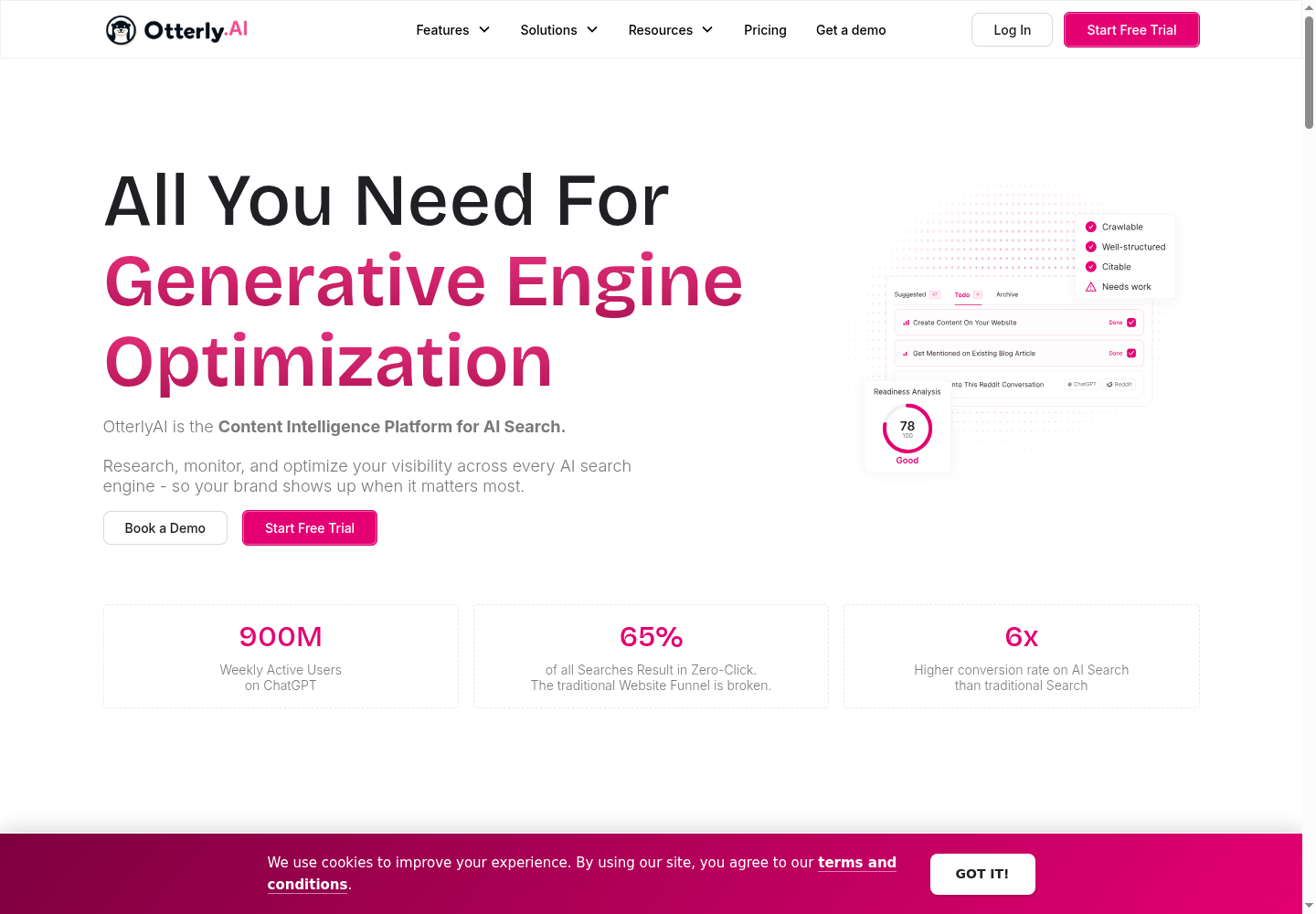
| OtterlyAI features page | 56/100 | Features and free-trial route inspected | Public material described a broad prompt-and-content workflow, but evaluation stopped at account creation before inspectable output |
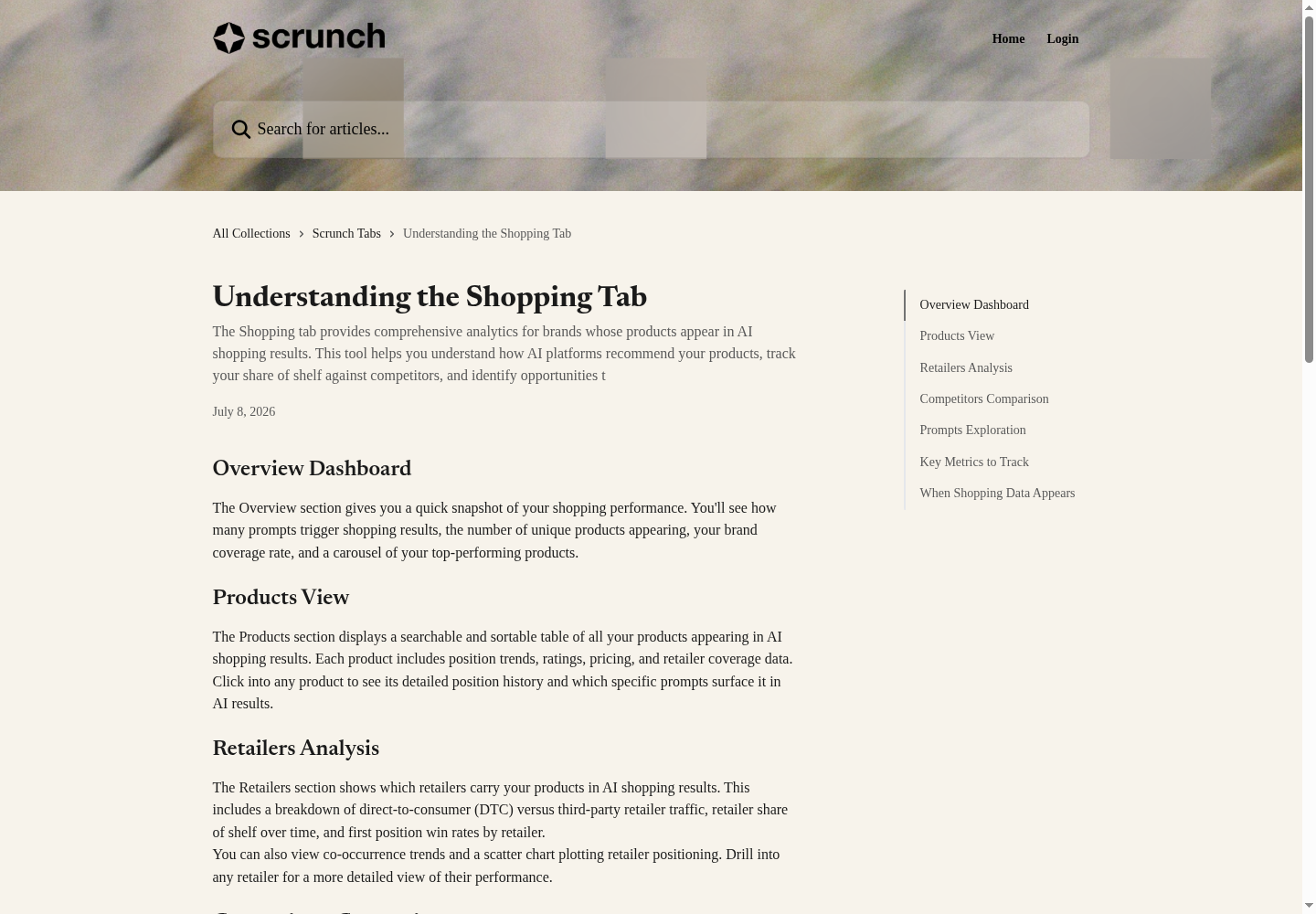
| Scrunch AI Shopping tab documentation | 74/100 | Public audit attempted; product documentation inspected | The audit showed suggested prompts but never produced a report before trial/demo calls to action; documentation supplied the useful detail |
How this shortlist was selected
Each candidate had to expose an official public route relevant to AI visibility on the review date. We looked for a useful combination of:
- Shopify or ecommerce relevance
- answer, mention, citation, or shopping-result observation
- prompt, competitor, market, retailer, or product-level analysis
- inspectable evidence behind an aggregate score
- a safe path from monitoring to a merchant-controlled next action
We did not copy numeric pricing, use affiliate commissions, invent customer ratings, or treat vendor marketing claims as observed product results. Pricing, feature access, and platform coverage change; verify current terms directly with each vendor.
1. SkuWatch: Shopify-native monitoring and product improvement
How it appears to work
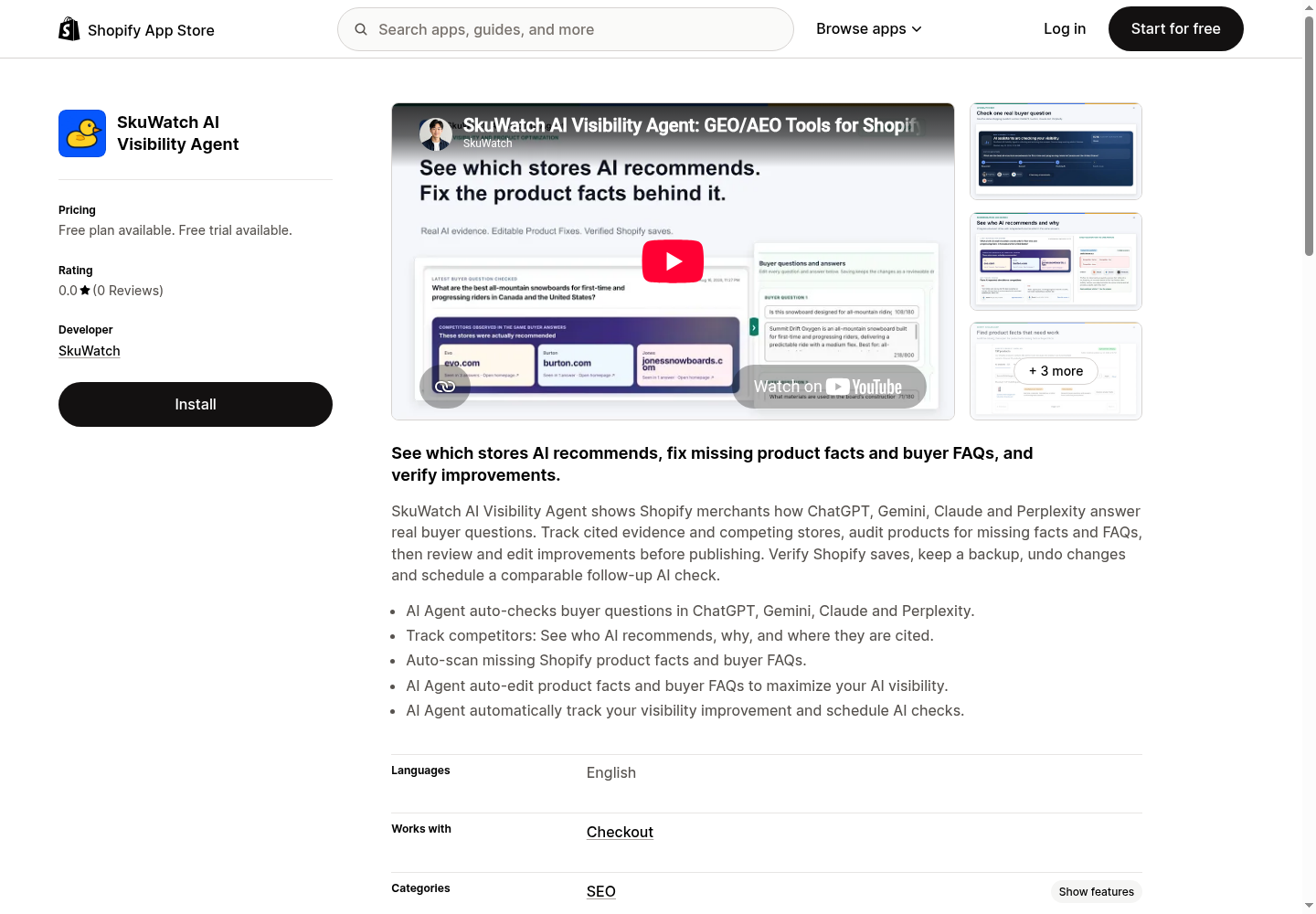
SkuWatch is designed as a Shopify operating loop: sample buyer questions across named AI platforms, retain answers and competing sources, audit active products for missing facts, prepare a description and buyer FAQ from known catalog facts, require merchant review, publish only after approval, and re-read Shopify to verify the saved state. The public SkuWatch product overview and methodology also separate provider failures, observed answers, storefront evidence, and later comparisons.
What we tested publicly
We followed the complete public evaluation path through the product overview and the Shopify App Store listing. The pages exposed the ordered workflow, product-screen previews, installation route, and claimed approval and verification boundaries. We did not install the app or claim that a private store workflow was completed. Because SkuWatch publishes this comparison, all SkuWatch evidence here is first-party and should be treated accordingly.
Why the score is 86/100
18/20 setup clarity + 21/25 evidence depth + 21/25 workflow inspectability + 15/15 Shopify/ecommerce fit + 11/15 access-boundary clarity = 86/100. The score is useful if a merchant wants to know whether the Shopify-specific operating model can be understood before installation. The deductions reflect the publisher conflict, first-party-only evidence, and lack of an independent private-app test.
What a Shopify merchant should verify next
- Review the live Shopify permission screen and confirm when optional write access is requested.
- Run a small prompt set and inspect exact answers, timestamps, citations, failures, locales, and denominator rules.
- Audit a few products and confirm that every proposed description or FAQ statement comes from current store evidence.
- Test preview, approval, Shopify readback, storefront output, backup, undo, and later-comparison behavior.
2. Visibly: AI visibility monitoring inside Shopify admin
How it appears to work
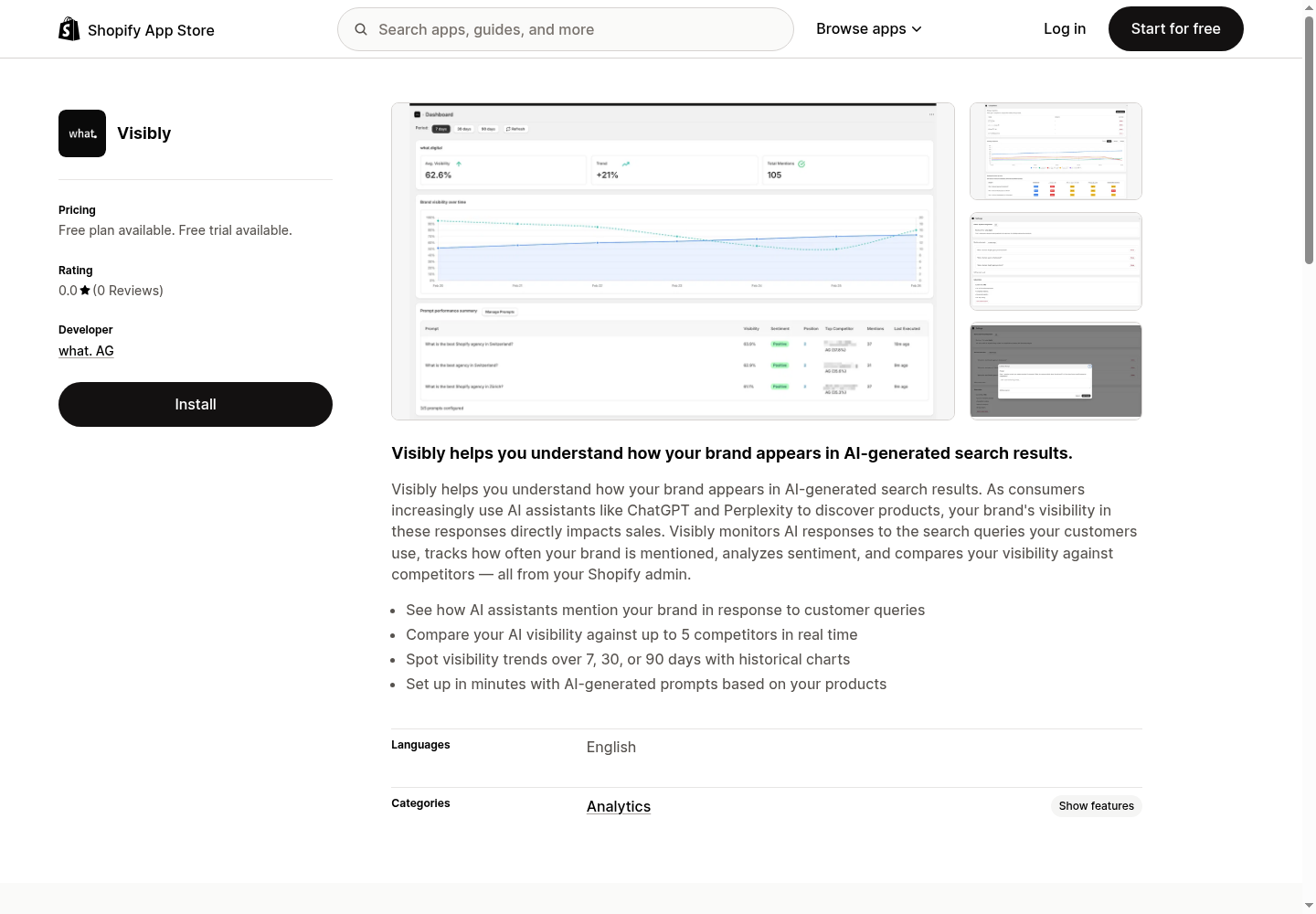
The official Visibly Shopify App Store listing describes an in-admin workflow that generates prompts from a merchant’s products, monitors AI answers, counts brand mentions, analyzes sentiment, compares competitors, and plots historical trends. That makes the product concept easy to place: it is a focused Shopify monitoring app rather than a broad enterprise search suite.
What we tested publicly
We inspected the listing, its dashboard previews, description, installation control, and public metadata. The visible dashboard preview included a visibility summary, trend line, total mentions, and prompt-level rows. We could not inspect the installed app, metric formulas, raw answers, citations, failed runs, exports, or current permission request. A listing explains how a vendor says the app works; it does not establish measurement quality.
Why the score is 54/100
16/20 setup clarity + 12/25 evidence depth + 8/25 workflow inspectability + 15/15 Shopify/ecommerce fit + 3/15 access-boundary clarity = 54/100. The score is useful as a warning that Shopify-native positioning is clear while the measurement layer remains difficult to evaluate before installation. Most deductions come from having only listing copy and preview images rather than a public result or documented evidence model.
What a Shopify merchant should verify next
- Inspect permissions, privacy terms, retention, deletion, roles, and export controls before installing.
- Confirm which AI experiences, countries, languages, and answer fields are monitored.
- Ask whether exact prompts, responses, citations, timestamps, and classification rules are reviewable.
- Check that provider failures remain separate from completed non-mentions and that variants and direct-store links are identifiable.
3. Semrush AI Visibility Toolkit: connect AI visibility with SEO research
How it appears to work
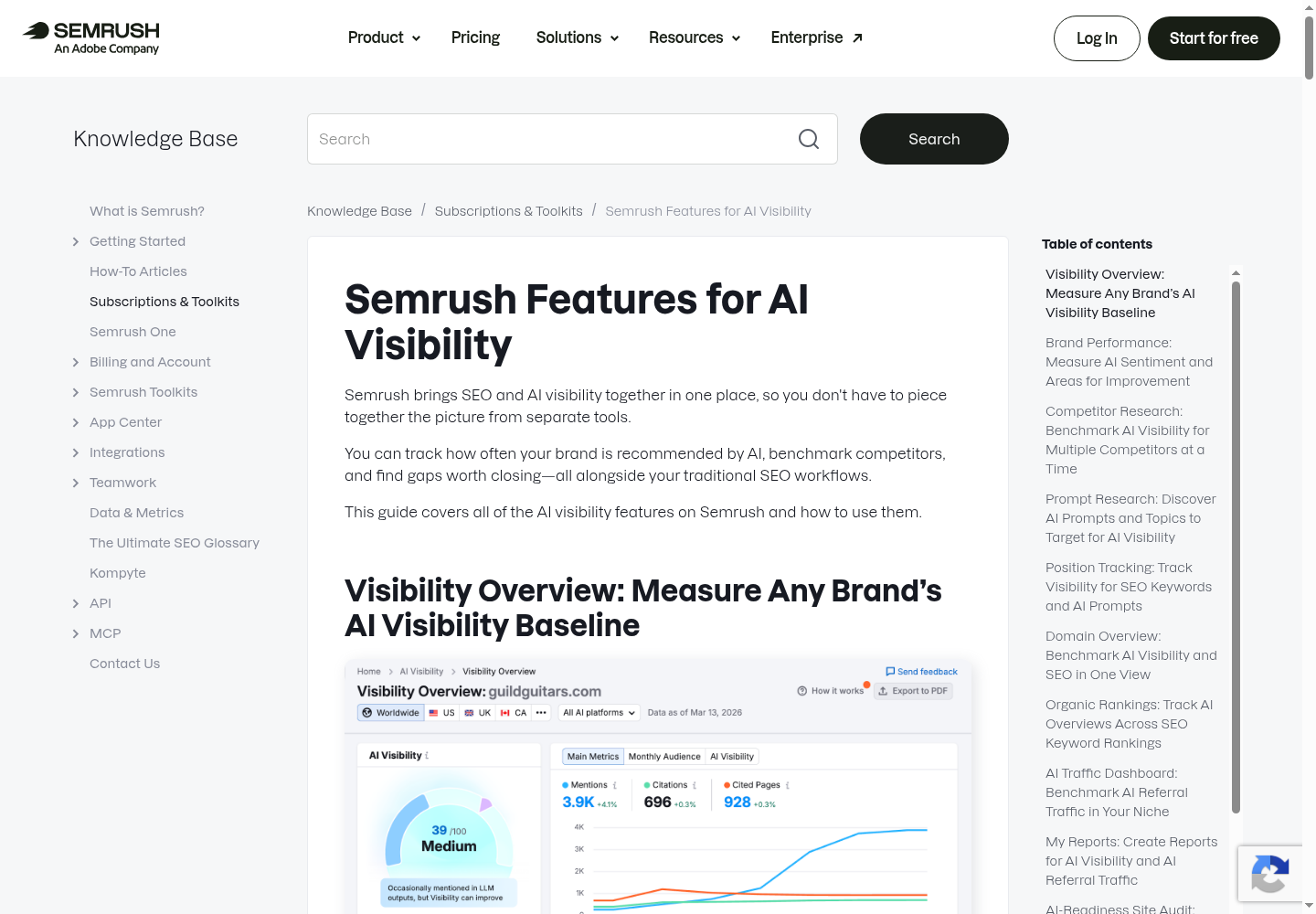
Semrush combines a domain-level entry point with a larger reporting toolkit. Its official Semrush AI Visibility Toolkit guide describes visibility baselines, brand performance and sentiment, competitor research, prompt research and tracking, citations, AI traffic, and site-audit checks. The guide also distinguishes report types, datasets, and update schedules, which matters because a large benchmark database and a team’s custom prompt set answer different questions.
What we tested publicly
We entered skuwatch.app in the free AI Visibility Checker and completed the visible three-step attempt. The page then reported that it could not verify a human, so no domain result was available. We removed that failure-only screenshot because it would not help a reader understand the product. The public guide was much more useful: it showed report navigation, example output, market and platform controls, citations, audience estimates, and connections to conventional SEO workflows. We did not claim access to a logged-in toolkit.
Why the score is 78/100
19/20 setup clarity + 23/25 evidence depth + 20/25 workflow inspectability + 6/15 Shopify/ecommerce fit + 10/15 access-boundary clarity = 78/100. The score is useful for judging how well a team can understand Semrush’s data model before a trial. Detailed documentation earned most of the points; the failed checker, limited Shopify specificity, and lack of a live account result account for the deductions.
What a Shopify merchant should verify next
- Trace each useful metric to its dataset, sample, market, platform, and refresh schedule.
- Separate broad domain benchmarks from a fixed portfolio of merchant-defined buyer questions.
- Confirm access to exact responses, citations, prompt history, exports, and failed-run states.
- Test whether product, variant, merchant URL, retailer, and marketplace identities stay distinct enough for catalog decisions.
4. Profound: analyze AI shopping products and merchants
How it appears to work
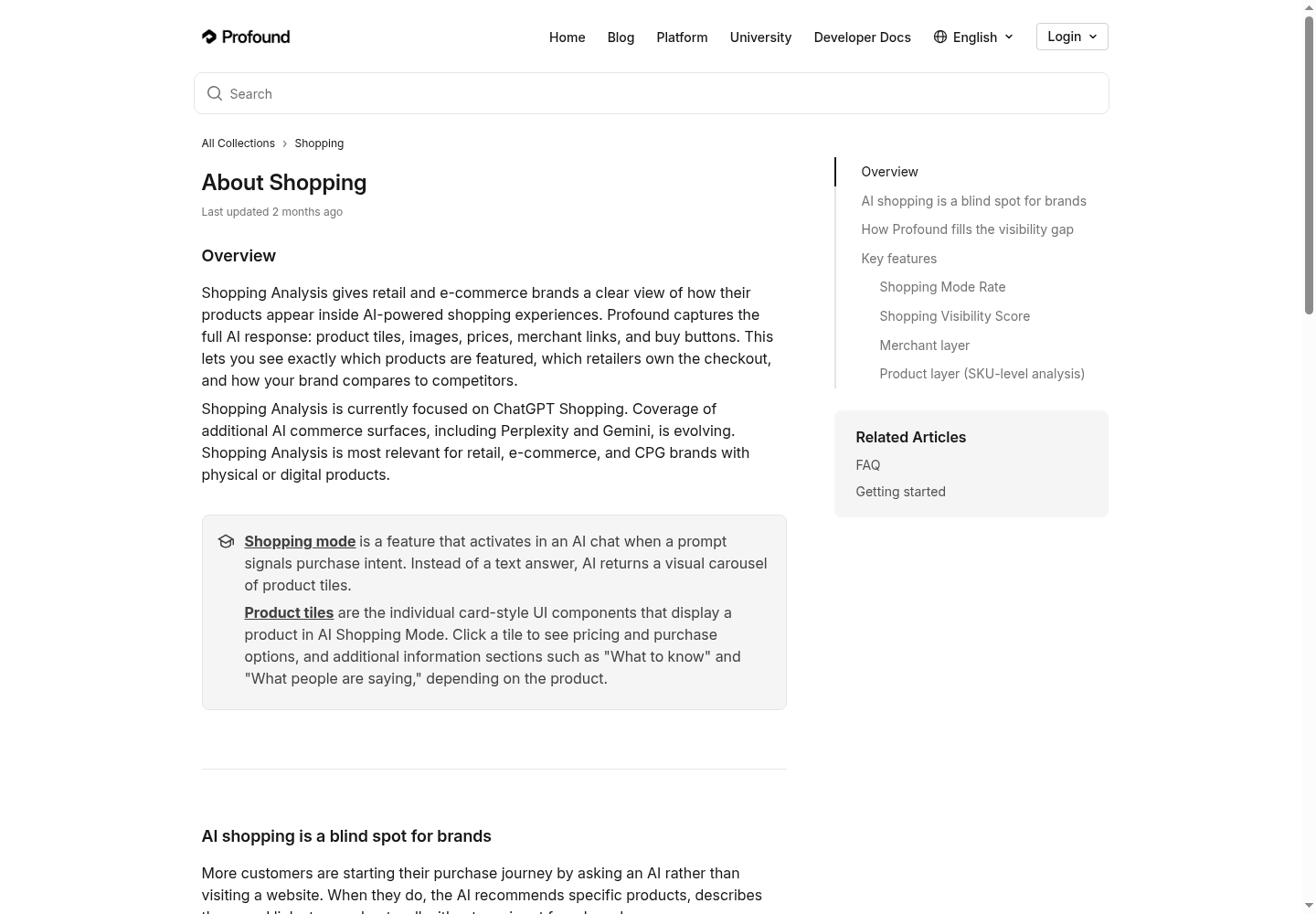
The official Profound Shopping Analysis documentation describes capturing shopping responses with product tiles, images, prices, merchant links, and buy buttons. It then organizes that evidence into shopping-mode rate, visibility, product or SKU placement, merchant attribution, competitor comparison, and attribute-accuracy analysis. This is more commerce-specific than a generic brand-mention dashboard.
What we tested publicly
We opened the free AEO report route, reached its details form, and encountered a security-verification failure before a report was created. We also inspected the public platform and demo routes, which led toward login or sales access rather than a usable result. Those error and gate screenshots were removed because they add no product understanding. The Shopping Analysis documentation supplied the meaningful evidence: it explicitly described the captured shopping fields and said the current focus was ChatGPT Shopping while coverage of other commerce surfaces was evolving.
Why the score is 70/100
17/20 setup clarity + 22/25 evidence depth + 17/25 workflow inspectability + 10/15 Shopify/ecommerce fit + 4/15 access-boundary clarity = 70/100. The score is useful when shopping-tile and merchant-attribution detail is the buying priority. Strong public documentation earned the score, while the failed report route and account/demo boundary made hands-on evaluation much less complete.
What a Shopify merchant should verify next
- Confirm the exact shopping surfaces, countries, prompt types, retailers, and catalog limits available to the account.
- Inspect how products and variants are matched when titles, identifiers, prices, or merchant URLs differ.
- Require the prompt, complete response, timestamp, shopping-mode state, tile position, merchant link, and export behind each aggregate.
- Keep a broad brand mention, a textual product mention, a shopping tile, and a merchant buy link as separate events.
5. OtterlyAI: monitor prompts, mentions, citations, and content
How it appears to work
The official OtterlyAI features page describes a marketing and SEO workflow: research and organize prompts, monitor named AI search experiences, compare brand visibility and sentiment, track citations, check crawlability, audit content, receive recommendations, and export reports. The apparent unit of work is a defined prompt portfolio and the content or domain associated with it, not a Shopify SKU workflow.
What we tested publicly
We inspected the feature navigation and public product claims, then followed the free-trial call to action. The route ended at account creation before any prompts, answers, citations, or reports were visible. We retained the feature page because it shows the public positioning and visible workflow categories; we removed the signup screenshot because a blank registration form provides no additional product evidence. We did not create an account or represent the illustrated readiness score as our own result.
Why the score is 56/100
16/20 setup clarity + 17/25 evidence depth + 9/25 workflow inspectability + 5/15 Shopify/ecommerce fit + 9/15 access-boundary clarity = 56/100. The score is useful for recognizing broad feature coverage alongside limited pre-account evidence. Clear public categories and an explicit signup boundary earned points; the absence of a live output and low product-level Shopify detail caused most deductions.
What a Shopify merchant should verify next
- Ask to see the exact prompt, market, date, successful or failed state, answer, citations, and classification behind every aggregate.
- Confirm which engines, locales, refresh cadences, recommendations, exports, and history are included in the current plan.
- Test whether direct-store links, publishers, marketplaces, product variants, and brand-only mentions remain distinct.
- Determine how a content recommendation becomes a reviewed Shopify action and how the team verifies the saved storefront result.
6. Scrunch AI: combine monitoring, agent traffic, and shopping data
How it appears to work
Scrunch’s official quick-start guide lays out the operating sequence: add brand and website context, refine competitors, add prompts, review the dashboard and citations, run a site audit, then monitor AI-bot and referral traffic. Its Scrunch AI Shopping tab documentation adds product, retailer, competitor, and prompt views when a monitored response contains shopping data.
What we tested publicly
We entered skuwatch.app in the public AI visibility audit. The route displayed suggested prompts and cycled through “searching” and “finalizing” states, but no report appeared before the page presented trial and demo calls to action. We removed the two nearly identical loading screenshots and a blank marketing mockup because they would imply more evidence than the test produced. The documentation was useful: it exposed the setup order, integration-dependent traffic workflow, and conditions under which shopping data appears.
Why the score is 74/100
18/20 setup clarity + 22/25 evidence depth + 17/25 workflow inspectability + 10/15 Shopify/ecommerce fit + 7/15 access-boundary clarity = 74/100. The score is useful for evaluating the documented breadth of monitoring, site, traffic, and shopping workflows. The detailed guides earned points; the unresolved public audit, integration requirements, and trial/demo boundary prevented a higher score.
What a Shopify merchant should verify next
- Confirm plan-specific platforms, geographic controls, prompt history, response retention, exports, and failure treatment.
- Test the analytics, CDN, site, or other integrations required for crawler and referral reporting before committing to implementation.
- Verify product, variant, retailer, and direct-to-consumer identity rules in actual shopping responses.
- Keep shopping tiles separate from textual product mentions and keep observed traffic correlations separate from causal claims.
Which tool fits which Shopify merchant?
Use this as a starting hypothesis for a controlled trial, not as a universal purchase recommendation.
| If your main need is… | Start by evaluating… | Reason to test it |
|---|---|---|
| A Shopify workflow from observed answer to approved catalog improvement | SkuWatch | The public workflow centers active products, merchant review, publication, and verification |
| Focused monitoring inside Shopify admin | Visibly | The listing centers the workflow inside Shopify and describes product-informed prompts |
| AI visibility beside SEO and competitor research | Semrush AI Visibility Toolkit | The guide connects AI reports with a broader search-marketing environment |
| Product-tile placement and merchant attribution | Profound | Shopping Analysis is explicitly product-, SKU-, and retailer-oriented |
| Prompt, citation, and content monitoring for a marketing team | OtterlyAI | The public feature set spans research, monitoring, citations, audits, and recommendations |
| Monitoring plus crawler, referral, and shopping analysis | Scrunch AI | Its documentation combines answer monitoring with site, traffic, product, and retailer evidence |
A safe six-tool evaluation checklist
Run the same small test for every serious candidate so that each demo cannot redefine success.
- Choose commercially meaningful buyer questions across discovery, comparison, compatibility, and current product facts.
- Freeze the exact prompt wording and an expected-facts sheet for a small set of products and variants.
- Define the store domains, retailers, competitors, countries, and languages that count.
- Record how timeouts, refusals, empty answers, and unavailable shopping modes affect the denominator.
- Require the exact prompt, answer, timestamp, provider or surface, locale, citations, and result state behind summary metrics.
- Check whether variants, direct-store URLs, marketplaces, retailers, mentions, citations, and shopping tiles remain separate.
- Review requested Shopify, analytics, CDN, and user permissions before connecting production data.
- Test exports, retention, deletion, roles, approval boundaries, backup, and rollback before scaling the workflow.
- Verify current pricing and plan limits directly with the vendor rather than relying on copied figures.
- Compare only the access level and evidence your team actually observed; label every security, signup, trial, login, or demo boundary.
What no AI visibility tool can prove by itself
No monitoring platform can guarantee that a Shopify product will be recommended, cited, ranked first, or placed in a shopping carousel. AI answers vary by prompt wording, model or surface, market, time, personalization, retrieval, and provider behavior.
Likewise, a visibility increase after a content change does not by itself prove causation. Keep the storefront deployment record separate from later answer observations, repeat comparable prompts, and report the boundary honestly.
Final recommendation
For a Shopify-native action loop, compare SkuWatch and Visibly first. Add Semrush or OtterlyAI when the primary need is broader brand, prompt, citation, content, and SEO analysis. Evaluate Profound when product tiles and merchant attribution drive the decision. Evaluate Scrunch when monitoring must connect with shopping, crawler, referral, and site evidence.
The browser-test score tells you how much you can responsibly evaluate before granting access; it does not name a universal winner. Select the product that preserves inspectable evidence, fits the team’s permissions and operating workflow, and handles the products, platforms, and markets that matter to the store.
Community discussion
Add to the article
Ask a technical question, share a storefront result, or challenge a conclusion with evidence.